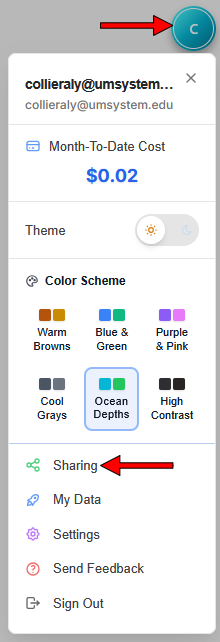
Select your user icon to access the user menu, then select Sharing from the drop-down menu to open the Sharing Center (See Fig. 1).
Image
Figure 1: Select Sharing to open the Sharing Center.
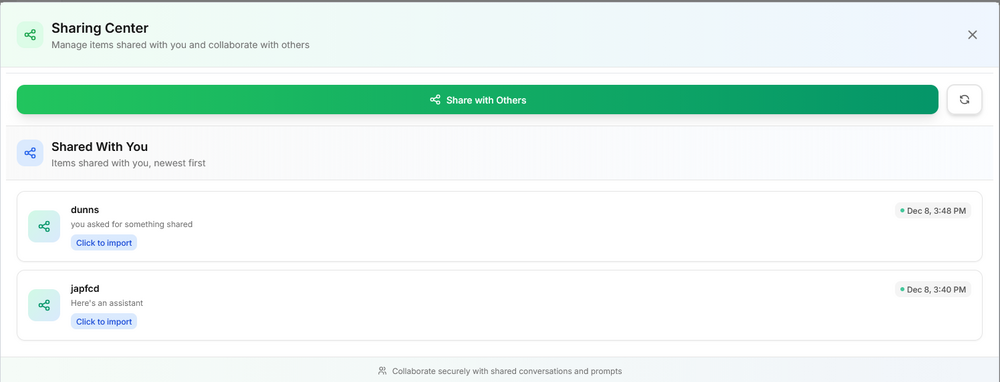
From the Sharing Center, you can share with others or see items that have been shared with you. Items shared with you will be listed from newest to oldest (See Fig. 2).
Image
Figure 2: Items shared with you will appear in the Sharing Center.
- Select the item to import it.
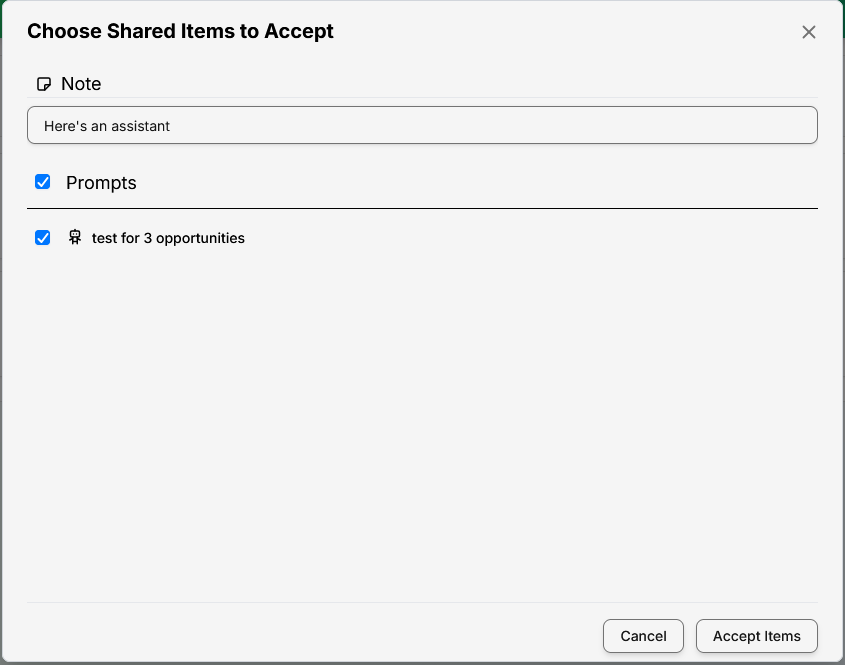
Once the item has been imported, a pop-up window will appear listing all associated items. You can choose to accept all or deselect any unneeded prompts. Select Accept Items (See Fig. 3).
Image
Figure 3: Use the checkboxes to determine which items to accept.
- After you’ve imported shared items, you can return to your home screen to access them directly in Show-Me AI.
Show-Me AI: Accessing shared items