

Some classes you take may have groups set up within Show-Me AI. These groups provide an easy and safe way for your instructor to share assistants with you for assignments, information about your class or other unique use cases.
Accessing your class group
Within Show-Me AI, your groups will be displayed in the “Assistants” tab on the left side of the screen (See Fig. 1).
Image
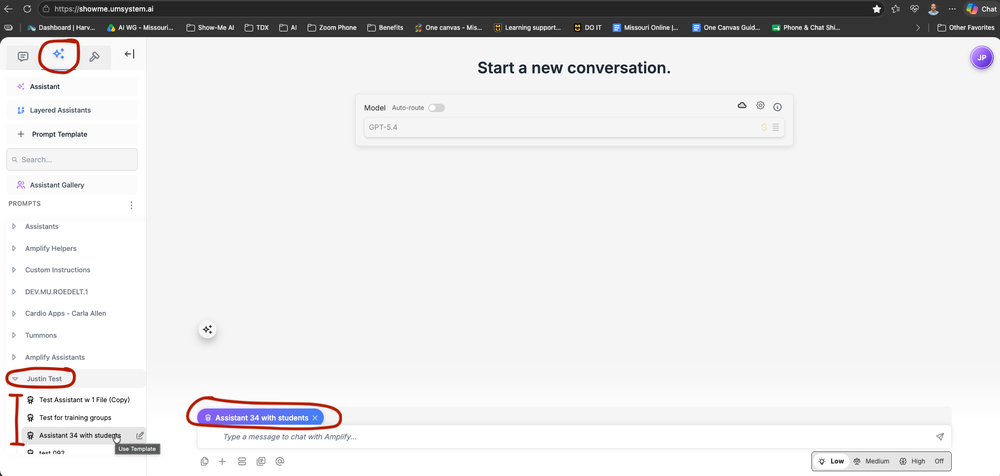
Figure 1: View of Show-Me AI with the “Assistants” tab selected.
- Click on the “Assistants” tab, which is indicated by the sparkle icon.
- Scroll down to see the groups to which you have been added.
- Click on the appropriate class group to reveal a drop-down menu showing all the assistants available to that group.
- Click on the assistant you wish to use. This will enable it in the current chat.
- Once enabled, every prompt will interact with the selected assistant, including any instructions given to it by the course instructor.